Entry of
Home electronics: how to choose, connect and repair
A practical guide to buying a TV or soundbar, understanding HDMI, checking real power use, and deciding when repair beats replacement.
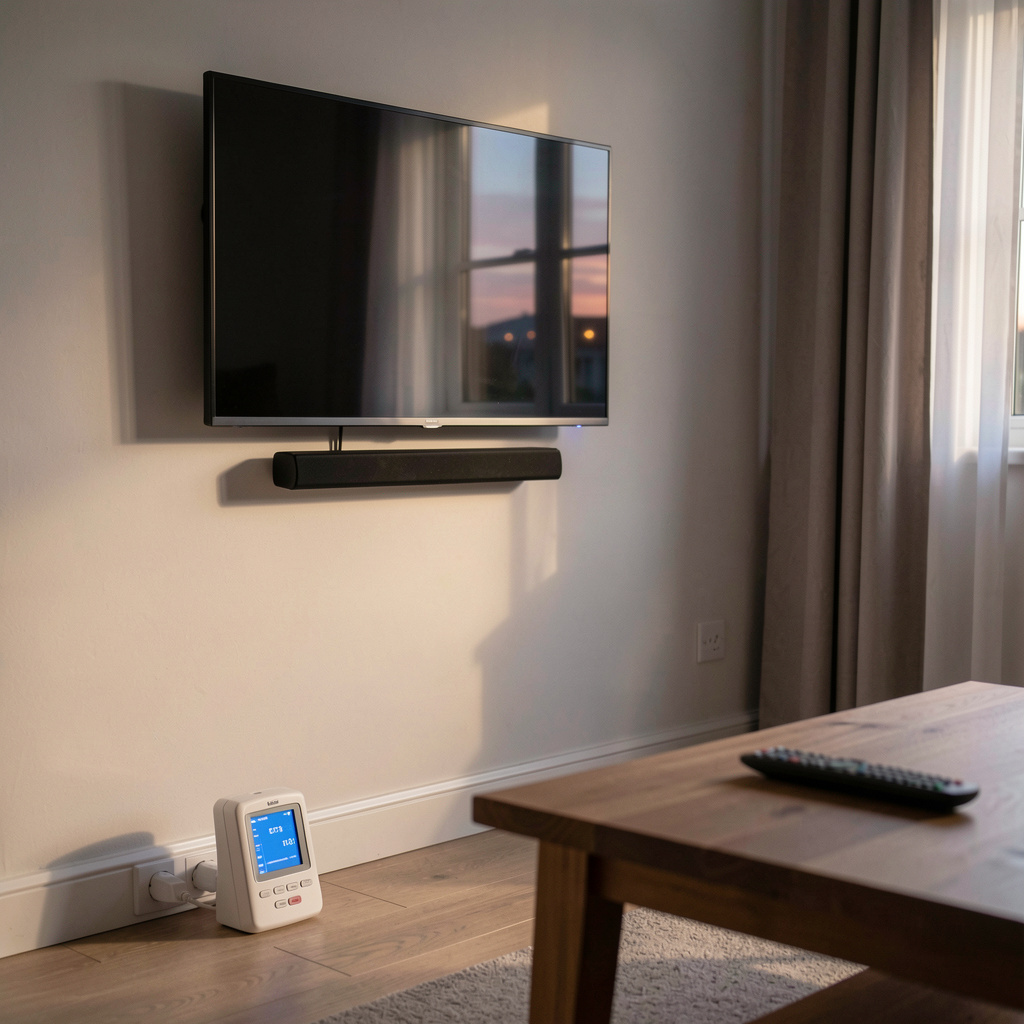
Home electronics reward a slow decision more than a fast one. Measure the space, read the label, and check the ports before paying, because a TV, a soundbar or a receiver is only as good as the room and the cables around it. For readers who want a structured method rather than a brand list, an independent guide to home electronics walks through the same steps in numbered sections, from screen size to energy labels.
What to measure before buying a TV or soundbar
Start with the wall, not the catalogue. The viewing distance sets a comfortable diagonal, and the furniture sets the maximum width that will not crowd a doorway or a radiator. Write down three numbers: distance from the seat to the screen, available width, and the height of the shelf or cabinet.
Then read the energy label. It gives an estimated yearly consumption based on a standard usage pattern, which is useful for comparing two sets of similar size. It does not predict a real household, because brightness, room light and standby settings change the result. Treat it as a comparison tool, not a bill.
Soundbars add a second measurement. Check the height of the bar against the bottom edge of the screen, so it does not block the infrared receiver or the picture. Check whether the bar needs a power socket near the TV, and whether the subwoofer, if there is one, has a place on the floor.
How do HDMI connections actually work?
HDMI carries video and audio on one cable, and the version of the port matters more than the brand printed on the plug. Older versions support lower bandwidth, which limits resolution and refresh rate. Newer versions carry more data, which is what high frame rates and high dynamic range need.
ARC and eARC are the audio return channels. ARC lets the TV send sound back down the same cable to a soundbar or receiver, so one cable handles both directions. eARC carries more audio data and supports formats that plain ARC cannot pass. If the soundbar and the TV both list eARC, use it, and use a cable rated for the bandwidth.
Cable categories are certified by speed, not by price. A short, certified cable at the required bandwidth does the job. Longer runs need more care, and very long runs may need an active cable. Gold plating and thick jackets do not add bandwidth.
What a power rating really tells you
The wattage on a label is usually a maximum, not a constant. A television draws most power when the picture is bright and the room is dark, and much less in a dim scene. A soundbar draws more at high volume. Standby consumption is small but not zero, and it adds up across a household.
A plug-in power meter gives a real answer in a few days. Plug the device into the meter, use it normally, and read the total. That number is the one to compare against the label. It also shows how much a game console, a set-top box or an old receiver costs to leave in standby.
Heat is the other signal. A device that runs hot in an enclosed cabinet will last less time, because electrolytic capacitors age faster at high temperature. Leave space around vents, and dust them once a year.
When repair makes more sense than replacement
Repair wins when the fault is small, the parts are available, and the device is otherwise sound. A failed power supply, a worn cable, a dirty fan or a dead remote are common and cheap to fix. A cracked panel on a large television is usually not, because the panel is most of the cost.
Age matters. A device under five years old with a minor fault is a good repair candidate. A device over ten years old may still be worth fixing if it is a well-built amplifier or a turntable, because those designs age slowly and parts are standard.
Ask three questions before deciding. What is the diagnosis? What is the part cost? How long is the warranty on the repair? If the repair costs more than half of a comparable new device and the device is old, replacement is the reasonable path. If the repair is cheap and the device is young, repair keeps money and materials in use.
How do you set up a turntable and headphones at home?
A turntable needs a stable, level surface away from the speakers, because vibration travels through the floor and the stylus picks it up. Check whether the turntable has a built-in phono stage. If it does not, the signal needs a phono preamp before it reaches an amplifier or powered speakers.
Headphones divide into open and closed designs. Open headphones let sound in and out, which suits a quiet room and long listening. Closed headphones block more noise, which suits travel and shared spaces. Wireless adds convenience and a battery to manage. A wired pair adds no charging, and often less latency for video.
For a fixed system, the order is simple: source, preamp, amplifier, speakers. For a flexible setup, a wireless speaker or a soundbar replaces several boxes. Neither is better in the abstract. The room and the listening habit decide.
Picture settings in ten minutes
Most televisions ship in a bright showroom mode. Switch to a cinema or film preset first, then reduce the backlight to a level that is comfortable in the room. Turn off motion smoothing for films, and leave it on only if sports look better with it.
Adjust sharpness down, not up. A high sharpness setting adds edges that were not in the source. Set the colour temperature to the warm or standard option, which is closer to the reference used in production.
Check the black level with a dark scene, and the white level with a bright one. If shadows lose detail, raise the brightness control slightly. If highlights clip, lower the contrast. Ten minutes of adjustment usually beats a year of default settings.
Cables, myths and money
A digital cable either carries the signal or it does not. There is no warm or bright HDMI cable. The differences people hear or see come from bandwidth limits, faulty connectors, or a setting on the device.
Buy the length you need, certified for the speed you need, and keep the receipt. Avoid very long passive runs unless the specification supports them. Label the cables at both ends, because a cabinet with six identical black cables is a future afternoon of work.
A short checklist before you pay
Measure the space. Read the energy label. Confirm the HDMI versions on both ends. Check the return window. Check the warranty length. Check whether the stand fits the furniture, or whether a wall mount is needed. Check the weight, because a large screen needs a mount rated for it.
Then keep the manual and the receipt in one place. Most home electronics last longer when the owner knows what the ports do, how much power the device really uses, and when a small repair is the better answer.